Unit4 Identity Services setup on Unit4 ERP to use Ava
Overview
About this topic
This topic summarises the required Unit4 Identity Services (U4IDS) configuration for Unit4 ERP in the Unit4 ERP Management Console. It is intended for:
- Unit4 Cloud Ops staff who configure Unit4 ERP with U4IDS in the Unit4 cloud environment.
ℹ️ Note: This topic does not describe U4IDS or Unit4 ERP authentication. For more information, refer to the U4IDS general documentation and the Authenticator setup reference manual. You need access to Unit4 Community4U to open the reference manual.
Registration with Unit4 Identity Services and Discovery Service
Unit4 Identity Services (U4IDS) is an external cloud service that provides authentication for the Ava ecosystem. Configure Unit4 ERP to use U4IDS by registering the Unit4 ERP application with U4IDS and configuring Unit4 ERP authentication.
To use Ava, Unit4 Cloud Ops assigns the customer Unit4 ERP installation an U4IDS authority, U4IDS tenant ID and U4IDS scope. Unit4 Cloud Ops also registers the installation with Unit4 Identity Services and Unit4 Discovery Service.
Configuration parts
After registering the Unit4 ERP installation with U4IDS, configure the following settings so that Ava can use the relevant Unit4 ERP functionality:
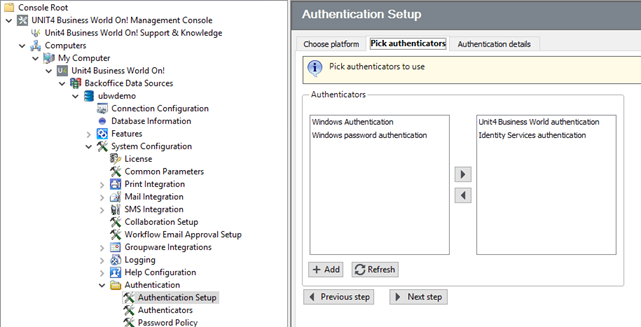
- Set U4IDS authentication as the accepted authenticator in the Authentication setup node or the Authenticator setup (TAG106) window. Then map users to Unit4 IDs in the User Master File node or the User master file (TAG064) window. The customer completes this configuration.
Setting U4IDS authentication as the accepted authenticator
Set U4IDS authentication as the accepted authenticator for each platform that Ava uses. In this case, select Web services in the Authentication Setup node.
Mapping Unit4 ERP users to Unit4 IDs
Map each Unit4 ERP user who uses Ava to a Unit4 ID. U4IDS uses the Unit4 ID to authenticate the user. In the User Master File node, on the Security tab, define the Unit4 ID and the Logon company.
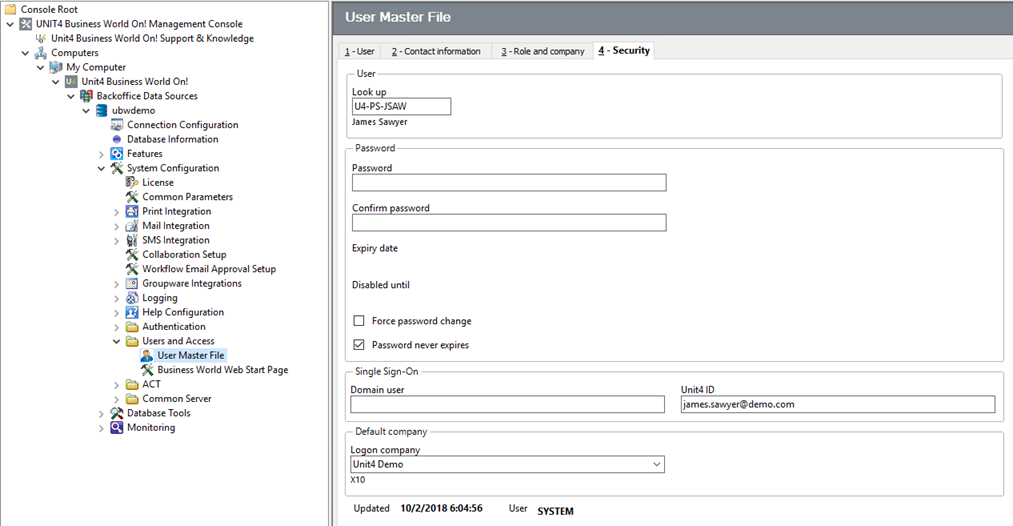
This mapping allows the user's organisation account to communicate with the selected Unit4 ERP user through Ava, using the defined default sign-on company.
Configure U4IDS for web applications
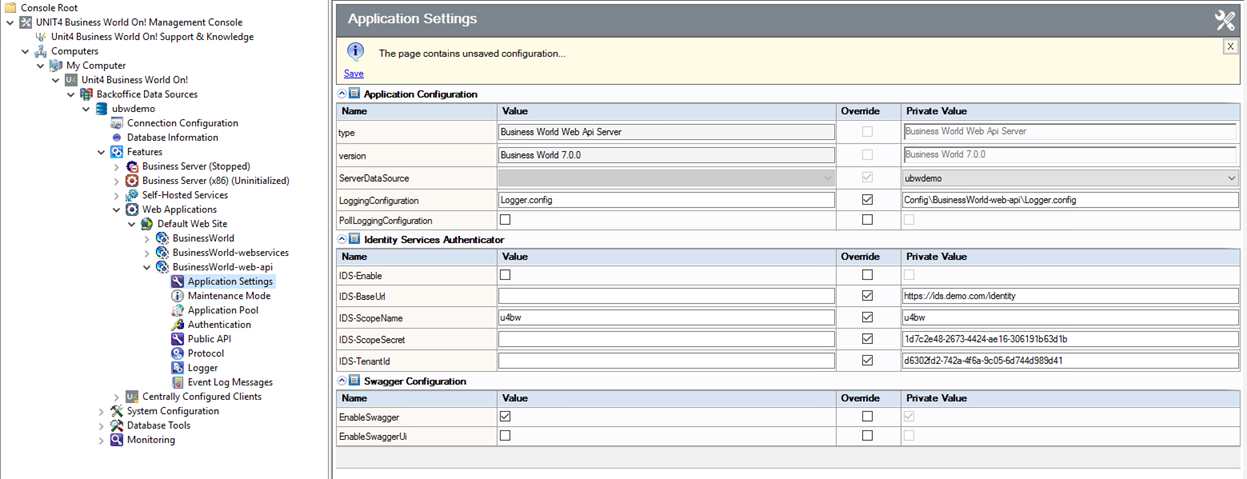
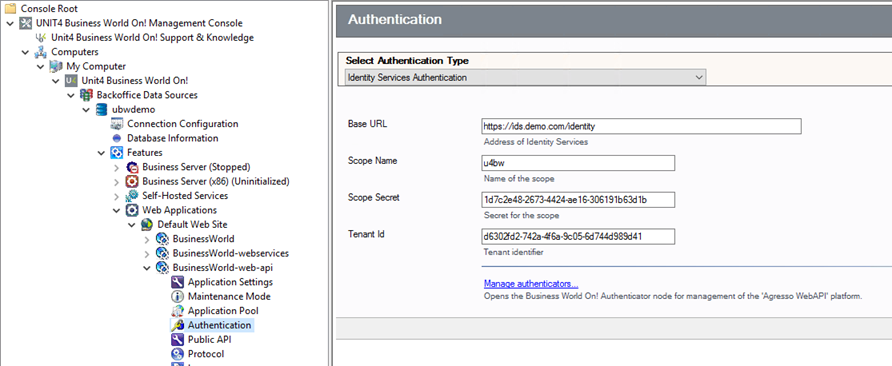
Configure U4IDS for each web application. In this case, configure the Unit4 ERP web API in the Authentication node.
For each web application, enter the U4IDS authority in Base URL and the U4IDS tenant ID in Tenant Id. Enter these values together with the Scope Name (normally u4bw) and the Scope Secret provided when Unit4 ERP is registered with U4IDS.
Unit4 ERP web API
In the example below, the authentication type is set to Identity Services Authentication. However, this can be set to All Authentications if basic authentication is also needed.
This setting is stored in the global web.config file. It applies to all web applications and tenants running on the server and forces a restart of any running web API applications. Disable this setting in the global web.config file if U4IDS is not required globally.